 Solid-Reviews
Best Smart Thermostats 2026: Which Ones Actually Save Money?
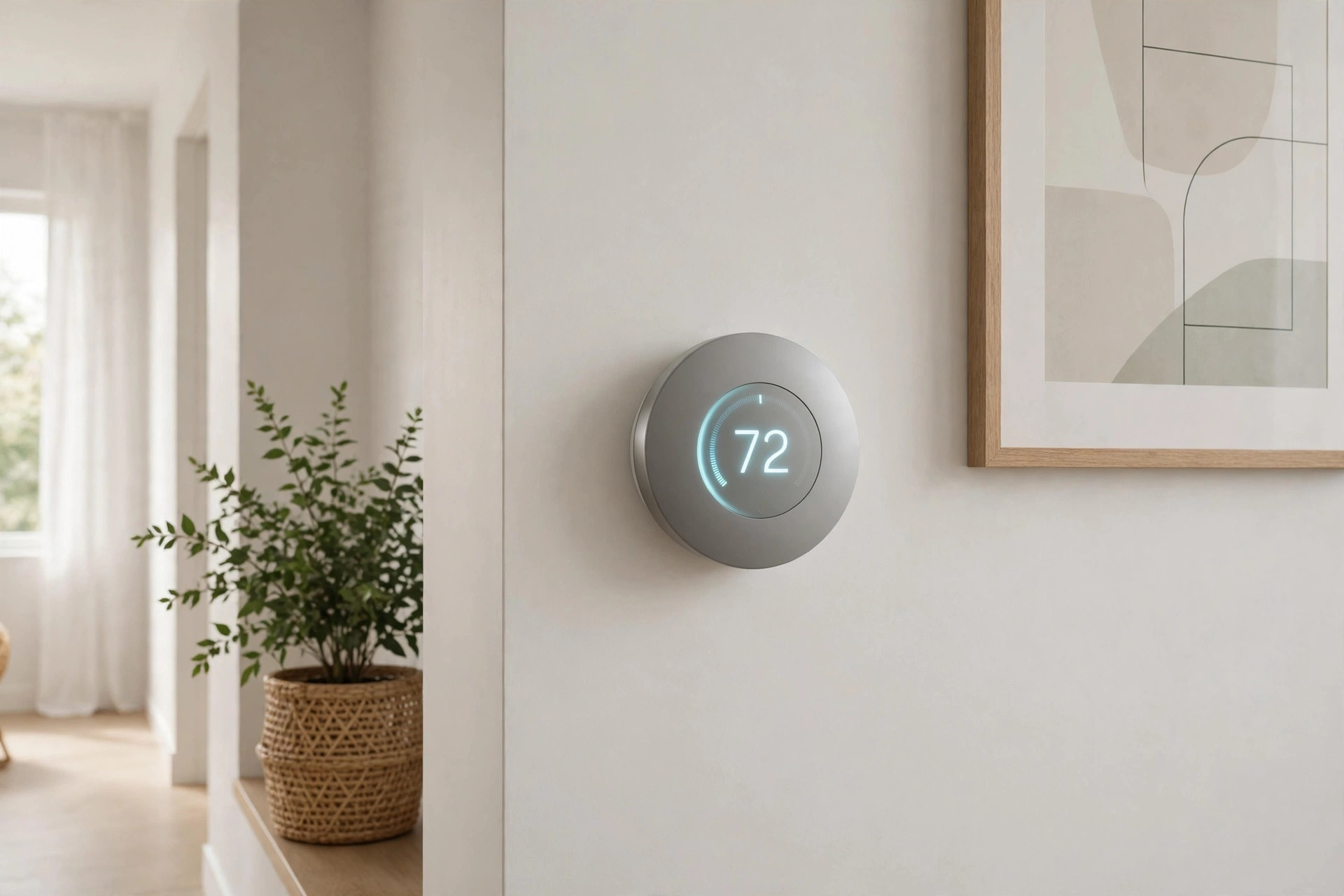
Do smart thermostats actually pay for themselves?
Yes — with a caveat. This is one of the few smart-home categories where the savings are independently verified rather than manufacturer marketing. The EPA's ENERGY STAR program certifies smart thermostats only after analyzing real-world data from homes across the US, and the headline figure is: about 8% of heating and cooling bills, or roughly $50 per year on average.
Do the math on your own bill. On a $150/month energy bill, 8% is $12/month, or $144/year. A $249 thermostat pays for itself in under two years — and that is using the conservative EPA average. Google claims Nest owners save 10–12% on heating and 15% on cooling ($131–$145/year on average); ecobee claims up to 26%. Take manufacturer claims with a grain of salt, but the direction is consistent: the thermostat pays for itself, then keeps saving.
Why do they save anything at all? Mostly one boring trick: they turn the heat and AC down more often than you do. Occupancy sensing, geofencing, and learning schedules mean the system stops heating an empty house. The US Department of Energy estimates that dropping your setpoint 7–10°F for 8 hours a day saves about 10% on heating and cooling — a smart thermostat just does it automatically instead of relying on your memory.
The savings are smallest if you already program a thermostat diligently and your schedule never changes. They are largest if your schedule is irregular, your house sits empty during the day, or (like 29% of programmable-thermostat owners in a 2025 Consumer Reports survey) you never actually programmed the thing.
The short answer on which to buy
- ecobee Smart Thermostat Premium ($249) — best for room-level comfort. It is the only one here with a room sensor in the box, the best multi-platform support (including native HomeKit and Siri), and an air-quality monitor. Buy this if your upstairs is always a different temperature than your downstairs.
- Google Nest Learning Thermostat 4th Gen ($279 list, ~$249 typical) — best for hands-off automation in a Google household. Its learning algorithm builds your schedule for you instead of making you program it, and the new model finally ships with a temperature sensor included.
- Emerson Sensi Touch 2 (~$130–$210 typical) — best budget pick. No learning tricks, no air-quality sensor — just a well-designed touchscreen thermostat with a genuinely good app, broad platform support, and ENERGY STAR certification for roughly half the price of the flagships.
All three are ENERGY STAR certified, all three work with Alexa and Google Assistant, and all three will save you money. The differences are about comfort features, ecosystems, and one critical installation gotcha.
The #1 install gotcha: the C-wire
Before you buy anything, check whether your HVAC system has a C-wire (common wire) — the wire that provides continuous 24V power to the thermostat. It is the single most common reason a smart thermostat install goes sideways, and each of these three handles it differently:
- ecobee Premium: No C-wire? No problem. It ships with a Power Extender Kit (PEK) in the box that you install at your furnace/air handler to provide power without a C-wire. This is the easiest no-C-wire install of the three.
- Nest Learning 4th Gen: Generally works without a C-wire on most 24V systems using power-stealing. For some systems (especially heat pumps and older furnaces), Google recommends the Nest Power Connector. Most installs go fine without one, but verify compatibility on Google's checker first.
- Sensi Touch 2: C-wire REQUIRED. Full stop. The spec sheet says "all systems require a common wire," and owners confirm the thermostat will not work without one. An adapter kit exists but costs extra. If you don't have a C-wire and don't want to run one, cross this off your list.
Also note: none of these work with line-voltage (120/240V) systems like electric baseboard heaters without extra hardware. They are designed for standard 24V forced-air, heat pump, and boiler systems. When in doubt, use each manufacturer's online compatibility checker and photograph your existing thermostat's wiring before you unwire anything.
No C-wire and don't want to think about adapters? We wrote a full walkthrough: Smart Thermostat Without a C-Wire — how to check your wiring, what the ecobee Power Extender Kit install actually involves, and when it's cheaper to just have an electrician run a new wire.
The contenders
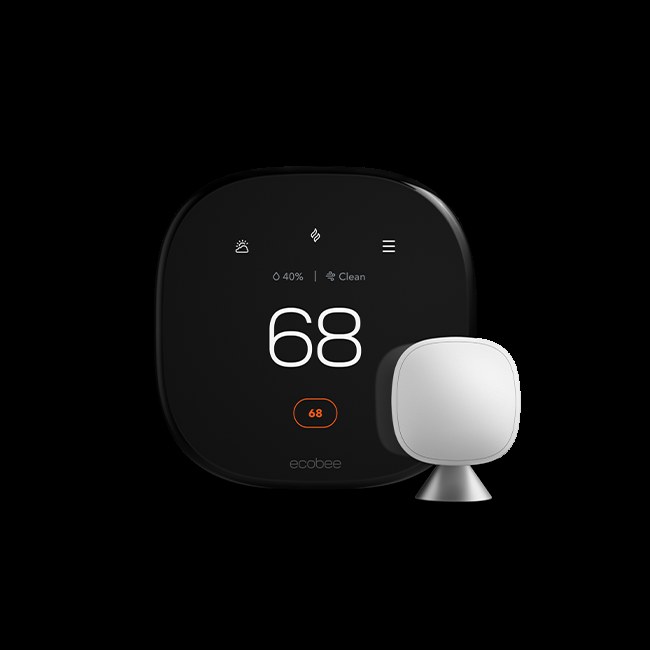
ecobee Smart Thermostat Premium — Best sensors and room-level control
The ecobee Premium is the thermostat for people whose house has hot and cold spots. It ships with a SmartSensor in the box — a small wireless sensor you put in the problem room — and the thermostat averages or prioritizes that room's temperature and occupancy. No other pick here includes a room sensor standard (Nest now includes one; Sensi's are $40 each and sold separately). With support for up to 32 sensors, it is the most capable multi-room system of the three.
It is also the most broadly compatible with smart-home platforms: native Apple HomeKit, built-in Alexa, Siri endpoint, Google Assistant, and Samsung SmartThings. If you live in an Apple household, this is your only real choice — the Nest has no HomeKit support at all. The Premium adds a built-in air-quality monitor (VOCs, CO2, humidity) that alerts you when indoor air degrades — owners in wildfire country and allergy households consistently call this out as a feature they didn't know they needed. The radar-based occupancy sensor pre-heats or pre-cools before you arrive, and the zinc-and-glass hardware looks genuinely premium on the wall. ENERGY STAR certified; ecobee claims up to 26% annual savings on heating and cooling. Typical price: $249.
Honest drawbacks: It does not learn your schedule the way the Nest does — you build schedules manually (though the occupancy sensing does a lot of the work for you). The price points across ecobee's own lineup are close enough that the cheaper Enhanced ($189) tempts, though it drops the included sensor and air-quality monitor. Some owners report the app occasionally lags, and the air-quality readings don't surface in HomeKit, which limits automation.
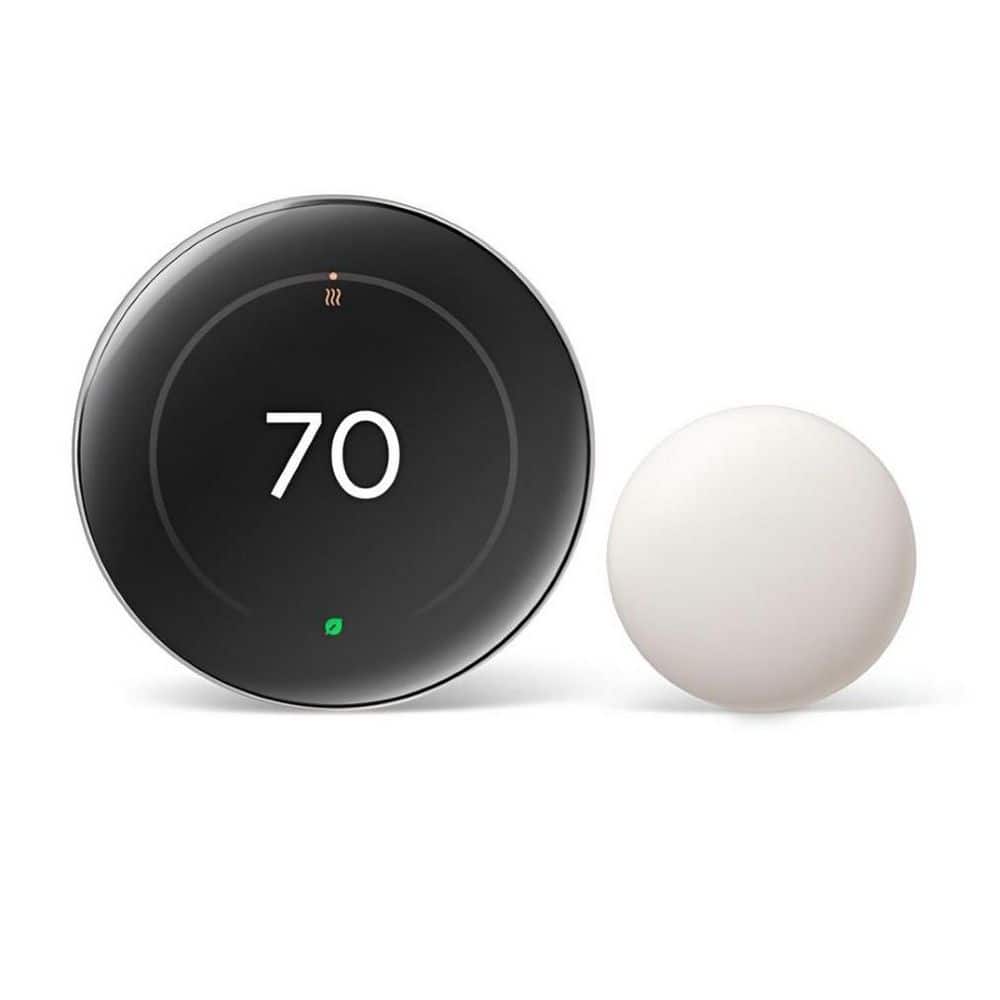
Google Nest Learning Thermostat 4th Gen — Best learning and automation
The Nest's defining feature is right in the name: it learns. For the first week or two you adjust it like a normal thermostat; after that, it builds a Smart Schedule from your habits and keeps refining it. For people who will never sit down and program a schedule — which is most people — this is the closest thing to a set-and-forget thermostat. The 4th Gen adds AI features that factor in outdoor conditions and system health monitoring that can flag HVAC problems early.
The hardware got a real upgrade this generation: a 60% larger borderless display with Dynamic Farsight that shows the time, temperature, or weather from across the room as you approach, in polished silver, obsidian, or gold finishes. It ships with a Nest Temperature Sensor (2nd gen) in the box and supports up to 6 per thermostat. It is Matter-compatible, works with Google Home and Alexa, and generally installs without a C-wire. Google's savings claims are the most specific in the industry: 10–12% on heating, 15% on cooling, averaging $131–$145/year. List price is $279.99; typical price is usually around $249.
Honest drawbacks: No HomeKit support — Apple households should buy the ecobee. There is no built-in voice assistant; you talk to it through a Google Home, Alexa, or Siri device. The learning algorithm needs a week or two of training before it earns its keep, and in homes with genuinely unpredictable schedules it can learn the wrong lessons. Upgrading from an older Nest requires a full reinstall, not a drop-in swap. And at $279 list it is the most expensive pick here before discounts.
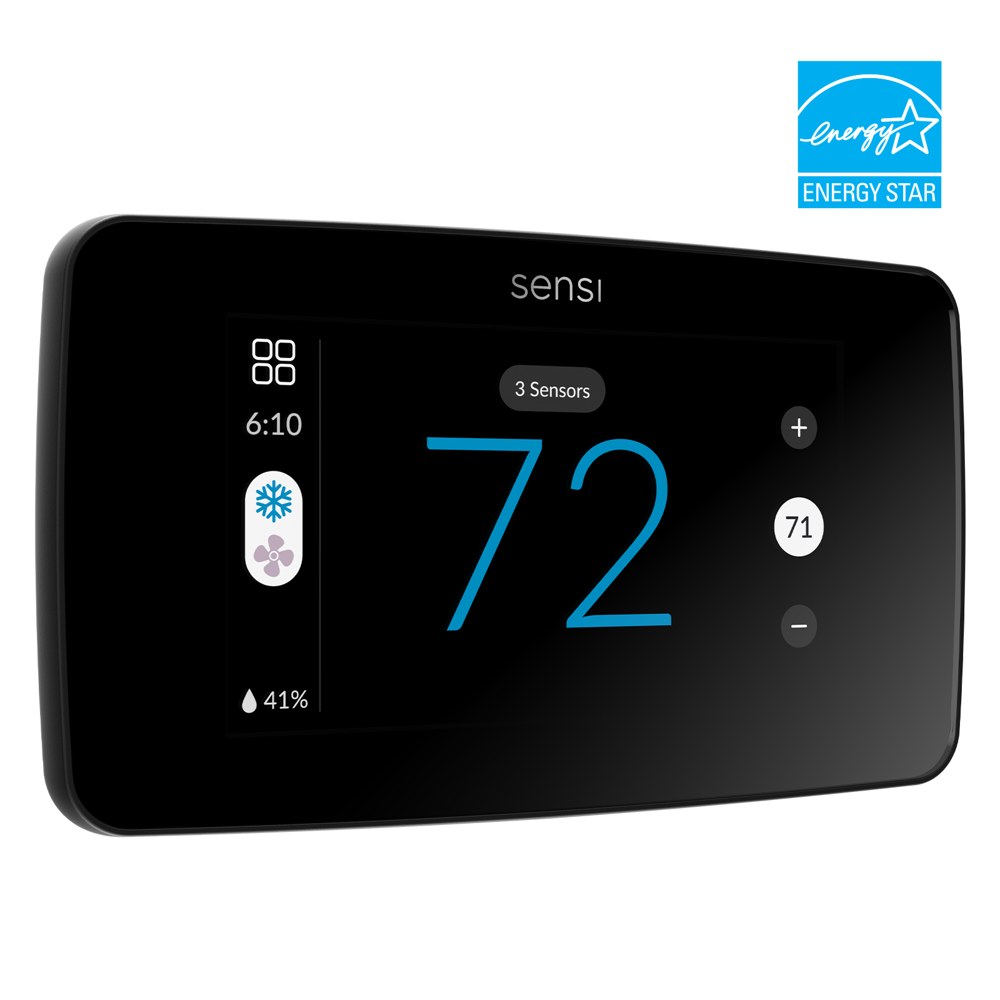
Emerson Sensi Touch 2 — Best budget no-nonsense pick
The Sensi Touch 2 is the anti-flagship: no learning algorithm, no air-quality monitor, no voice assistant built in. What you get is a large, bright color touchscreen, a genuinely well-designed app with clear usage charts (orange bars for heating, blue for cooling, with month-over-month history), flexible 7-day scheduling, geofencing, and remote access — the core smart-thermostat feature set, executed cleanly. It is ENERGY STAR certified, Emerson claims about 23% savings on HVAC energy, and it works with Alexa, Google Assistant, HomeKit, and SmartThings — broader platform support than the Nest at a fraction of the price.
The headline is the price: it lists at $209.99 but routinely sells for $130–$170 typical, and utility rebates (more below) can push the effective cost under $100. Owners consistently praise the app's simplicity — it is the pick for people who want smart features without a learning curve, and for landlords outfitting rentals. The 3-year warranty is solid for the price.
Honest drawbacks: The C-wire is mandatory — this is the dealbreaker for many older homes, and it is the one thing to verify before anything else. There is no auto-learning; you program the schedule yourself (the app makes it easy, but it is still on you). Room sensors cost $40 each and are sold separately. The design is handsome but plasticky next to the ecobee and Nest, and there is no decorative backplate to cover old screw holes or paint lines on the wall.
Don't forget the utility rebates
Before you pay full price, check your local utility's rebate program. Many electric and gas utilities offer $50–$100 rebates on ENERGY STAR smart thermostats — some run instant-discount marketplaces where the thermostat costs half of retail at checkout. ENERGY STAR's own rebate finder and your utility's website are the places to look. A $249 ecobee at a $100 rebate pays for itself in about a year on that $150/month bill. This is the single highest-ROI step in the whole purchase and it takes five minutes.
Frequently asked questions
Can you install a smart thermostat without a C-wire?
Yes — with the right thermostat. The ecobee Premium ships a Power Extender Kit in the box that provides power without a C-wire (the easiest path), and the Nest Learning 4th Gen generally works without one on most 24V systems via power-stealing (Google's compatibility checker confirms your system). The Sensi Touch 2 is the exception: it requires a C-wire, full stop. Our no-C-wire install guide walks through checking your wiring and each option step by step.
Which smart thermostat is best without a C-wire?
The ecobee Premium — the Power Extender Kit is included free and the install is well-documented, so there's no adapter to buy and no guesswork. The Nest 4th Gen is the runner-up: it usually works without a C-wire, but on some systems (older furnaces, certain heat pumps) Google recommends adding the Nest Power Connector, which is an extra purchase and install step.
Do smart thermostats actually save money?
Yes — this is one of the few smart-home categories with independently verified savings. The EPA's ENERGY STAR program certifies smart thermostats only after analyzing real-world data from US homes, and the headline figure is about 8% of heating and cooling bills (~$50/year average). Google claims Nest owners save $131–$145/year; ecobee claims up to 26%. The mechanism is boring but real: the thermostat turns the heat and AC down more often than you would. A $249 thermostat typically pays for itself in under two years — faster with utility rebates.
Which Nest thermostats are still supported?
Google ended support for the older Nest Learning Thermostats (1st–3rd Gen era) on October 25, 2025 — they lost app and cloud features. If you're buying today, buy the 4th Gen Learning Thermostat, which is fully supported. If you already own an older Nest, check Google's support pages for your model's status before assuming your automations still work.
ecobee vs Nest — which should I buy?
Buy the ecobee Premium if: you want room sensors (one's in the box), you're in an Apple household (native HomeKit; Nest has none), or your C-wire situation is uncertain (PEK included). Buy the Nest Learning 4th Gen if: you're in a Google household and want the learning schedule to build itself with zero programming. Both are ENERGY STAR certified, both support Matter, and both will save you money — it's an ecosystem and comfort-features decision, not a savings one.
Our recommendations
| Product | Best for | Approx. price | Owner rating |
|---|---|---|---|
| ecobee Smart Thermostat Premium | Room-level comfort, Apple households | ~$249 | ~4.4/5 across major retailers |
| Google Nest Learning Thermostat (4th Gen) | Hands-off learning, Google households | ~$249 typical ($280 list) | 4.4/5 across recent retailer reviews |
| Emerson Sensi Touch 2 | Budget pick, simple and reliable | $130–$210 typical | Strong owner reports, praised app |
Top pick: ecobee Smart Thermostat Premium. The included room sensor, the air-quality monitor, and the fact that it plays nicely with every major platform (including HomeKit, which the Nest ignores) make it the most complete package. The Power Extender Kit also makes it the safest buy if you're not sure about your C-wire situation.
Best for Google households: Nest Learning Thermostat 4th Gen. If your home runs on Google Home, the Nest's learning schedule and deep integration are worth the premium — just verify HVAC compatibility first, since there's no HomeKit fallback.
Budget pick: Emerson Sensi Touch 2. Half the price, all the important features, an app owners genuinely like. Just confirm you have a C-wire before ordering.
Who should skip a smart thermostat: If you have electric baseboard heat (line voltage — these won't work without extra hardware), if someone is always home and your schedule never varies (a $30 programmable does the same job), or if your HVAC system is on its last legs — put the money toward the new system instead.